> For the complete documentation index, see [llms.txt](https://docs.daylite.app/help/llms.txt). Markdown versions of documentation pages are available by appending `.md` to page URLs; this page is available as [Markdown](https://docs.daylite.app/help/learn/scale-your-business/delegating-tasks.md).
# Delegating Tasks
It can be tough letting go of the reins, trusting that the project you worked so hard on is safe in somebody else's hands. Learning to delegate is an important skillset, especially if you are a manager.
With Daylite, you can delegate Tasks while still maintaining oversight on the entire project.
## Delegating Tasks With Daylite
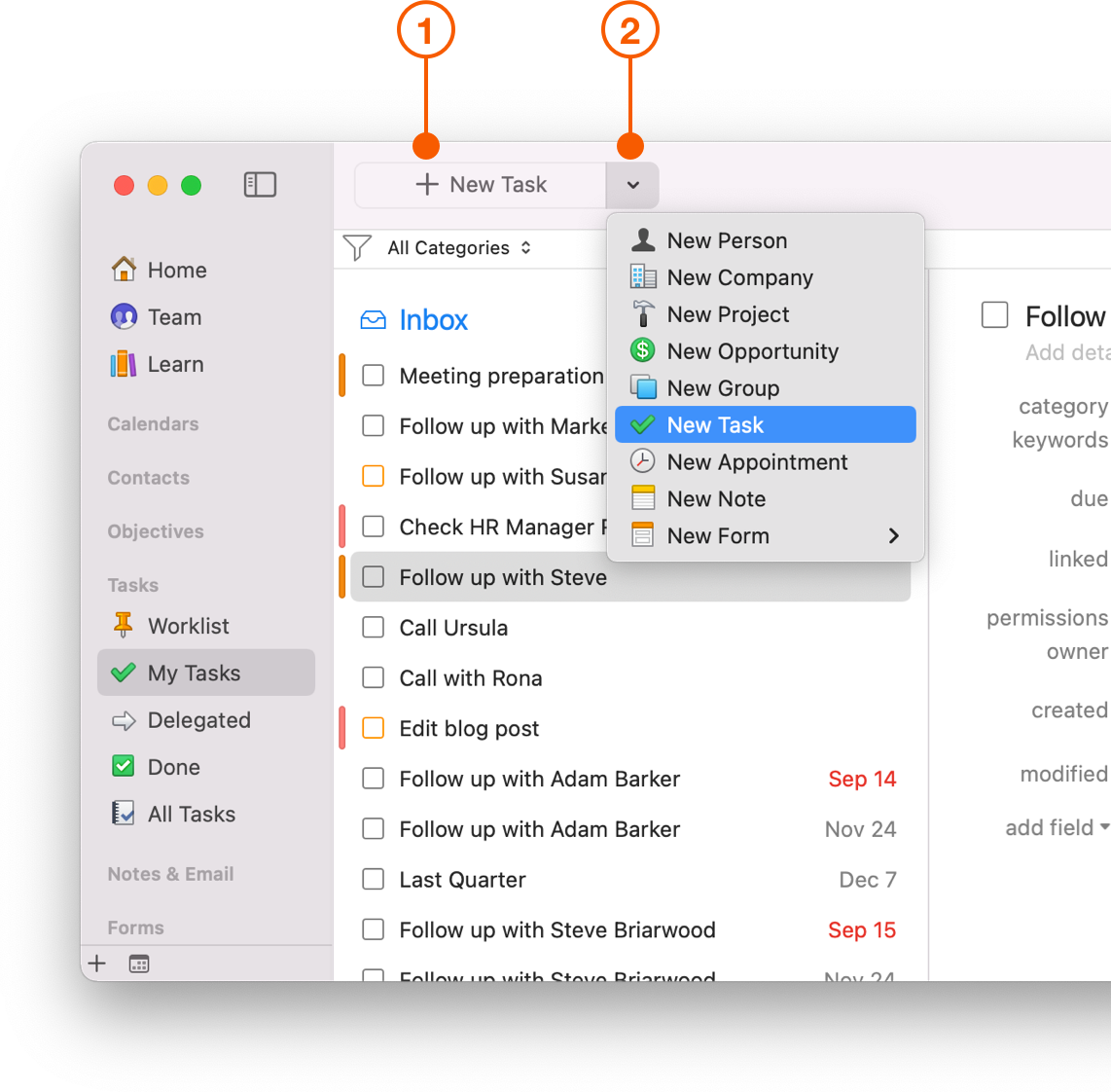
1. The easiest way to create a Task is to use the New Item button. This button will change depending whether you're looking at Tasks or another item in Daylite.
2. When you're not viewing Tasks, click the down arrow next to the New Item button and choose to create a Task.
{% hint style="success" %}
**Pro Tip:**
When delegating a Task, assign a due date on your Tasks so everyone knows what they need to do, and when the Task is due.
{% endhint %}
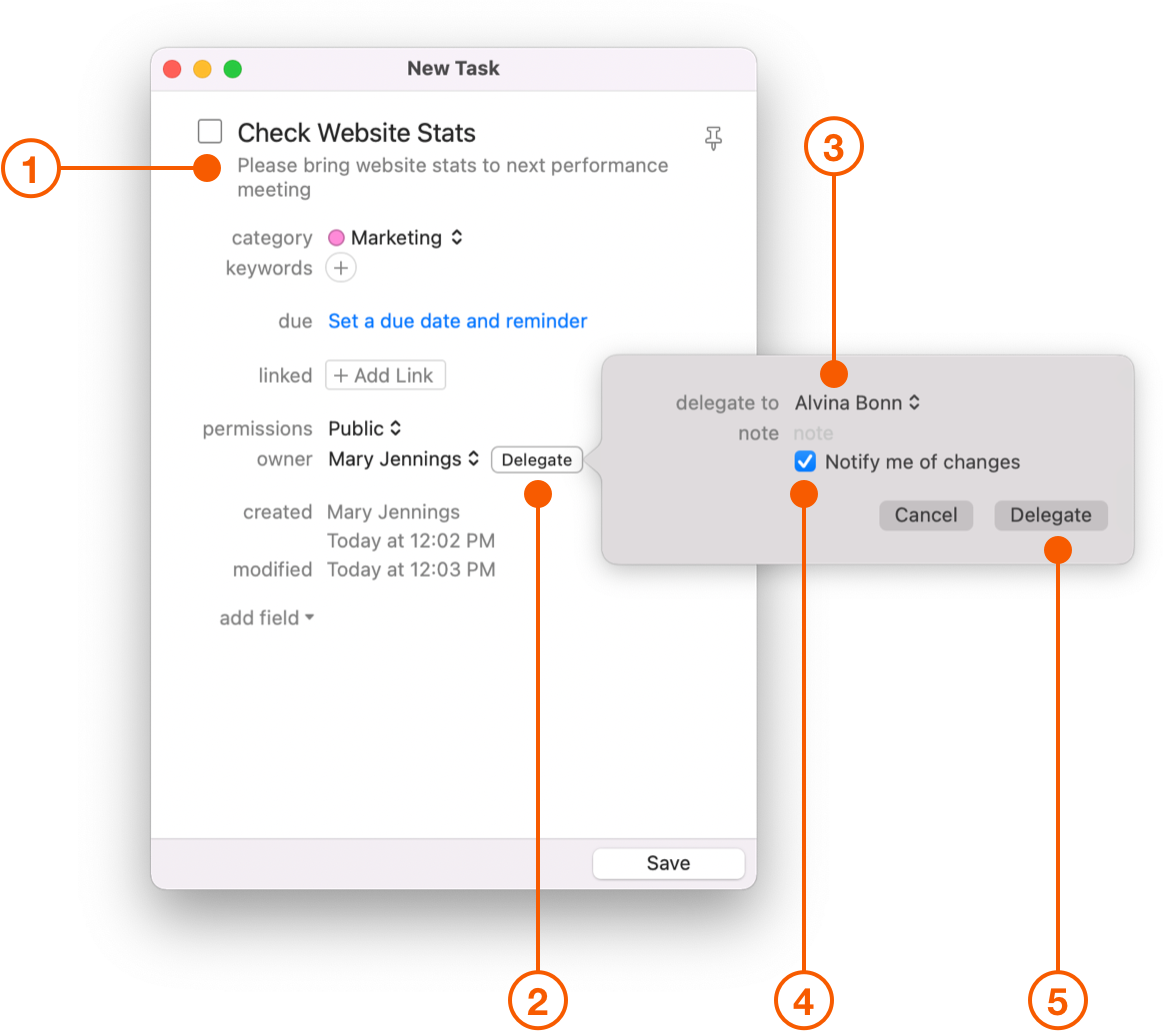
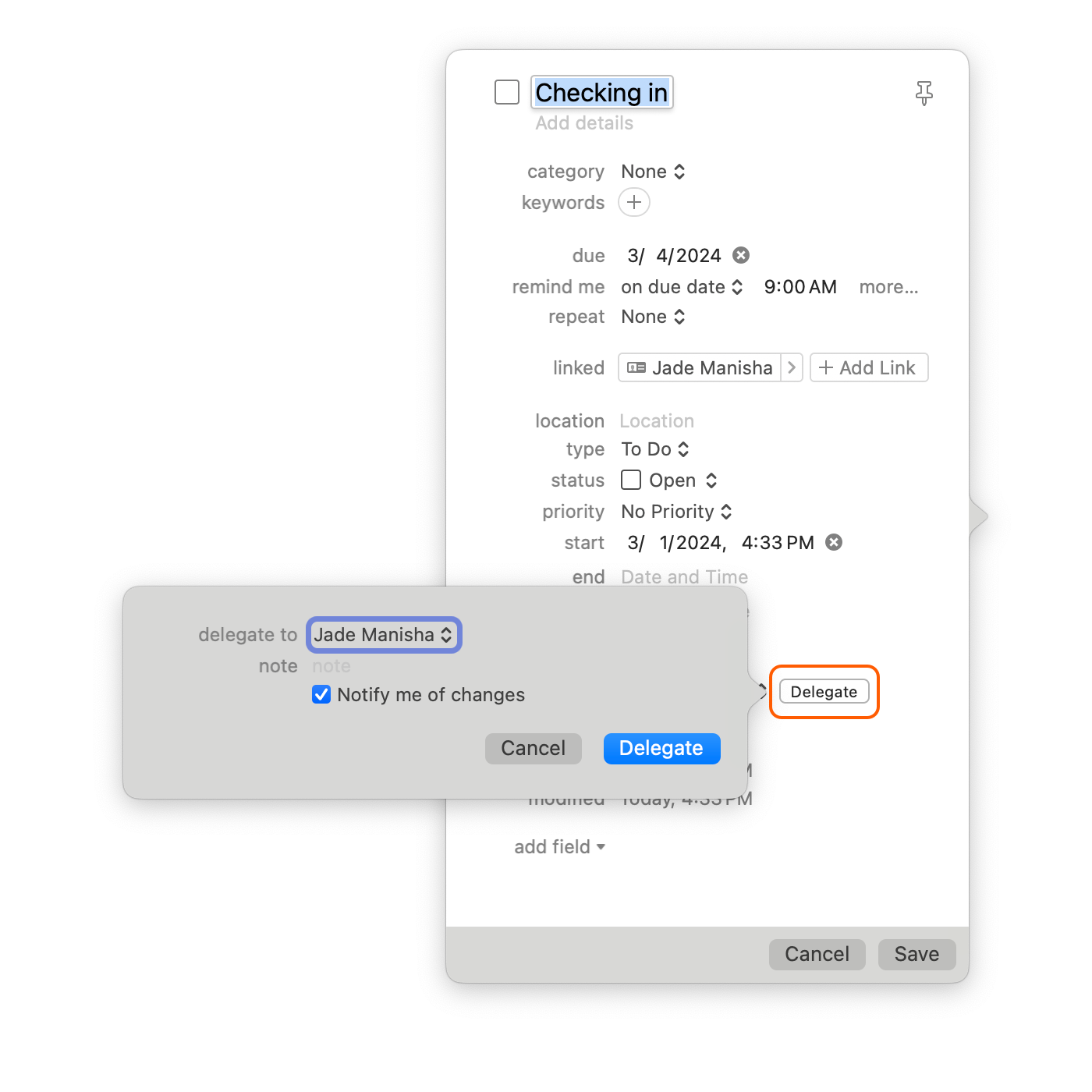
When creating the Task, follow the steps below to delegate it to someone else:
1. Name and add a description of the Task.
2. Click **Delegate**.
3. Click the pop-up button labelled **delegate to** and then select a person.
4. Select the checkbox labelled **Notify me of changes**.
5. Click **Delegate**.
Now, when an assigned Task is updated you will receive a notification in Daylite on your Mac, iPhone, and iPad with a push notification.
## Delegating Tasks With Mail Integration
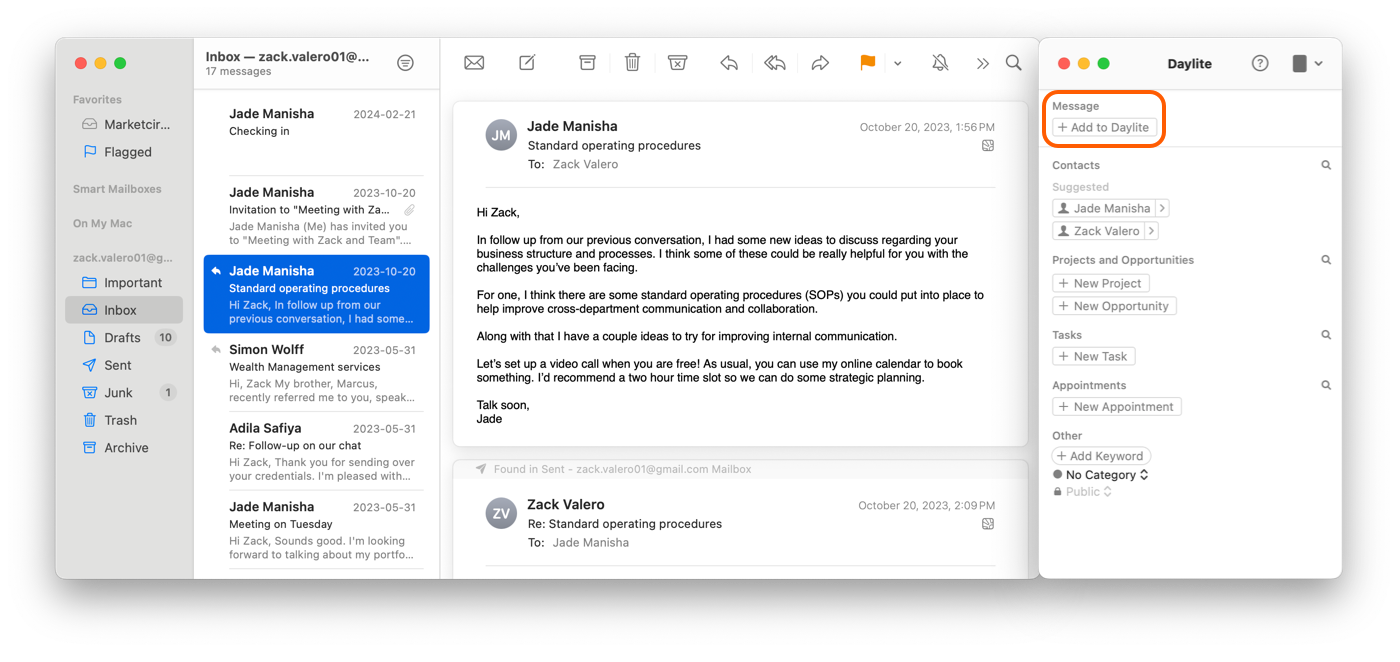
Delegating action items from an email is critical to focusing on the biggest picture and getting control of your inbox. Daylite Mail integration allows you to link an email to a Task, and delegate it straight from your inbox so you can move on to the next issue.
Select the email you wish to delegate and select the **Add to Daylite** banner.
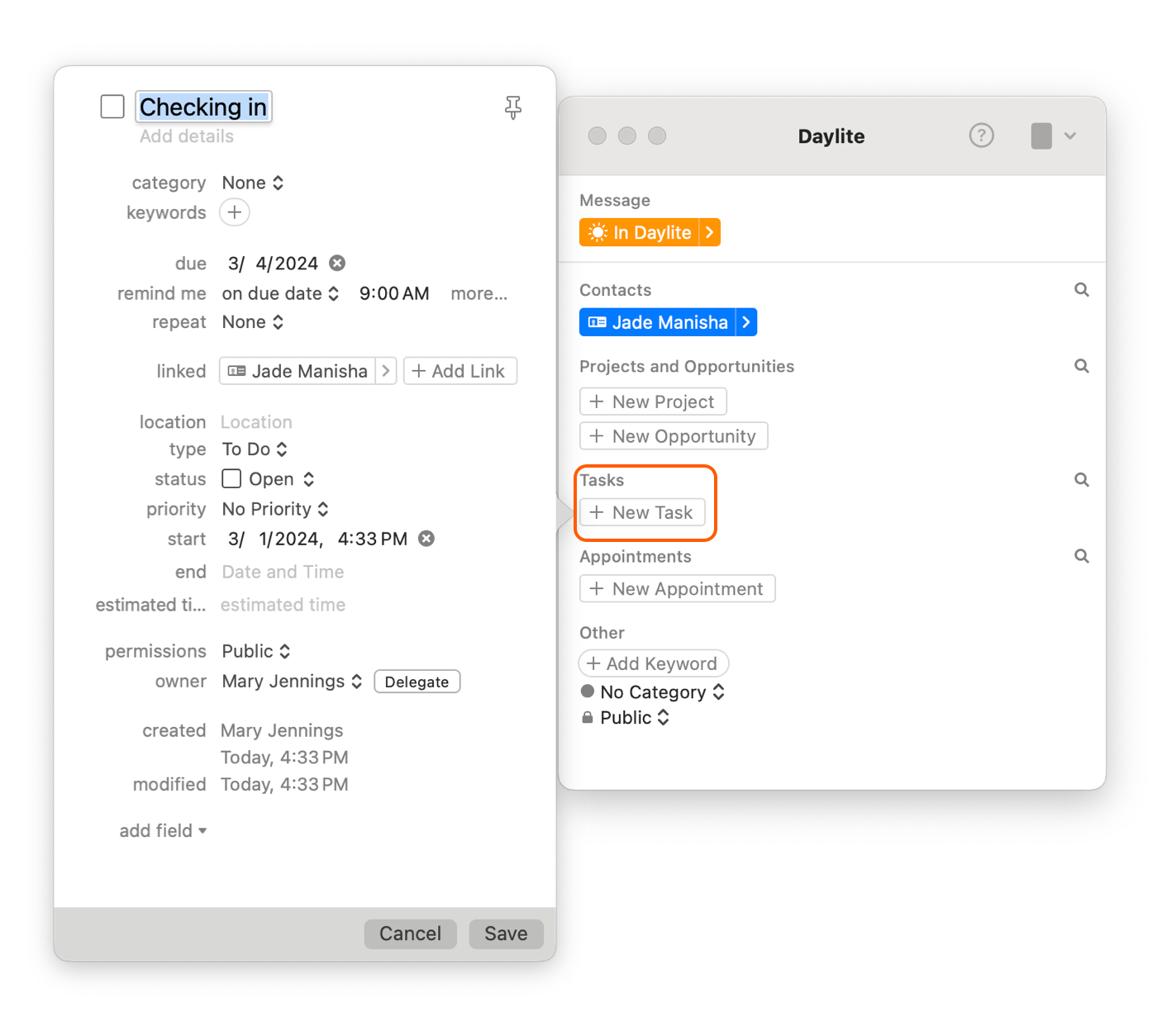
Click **New Task**.
3. In the Task pop up click **Delegate**, then choose the person you want to delegate this Task to.
4. Select **Notify me of changes**, and click **Delegate**.
## The Delegated Task List
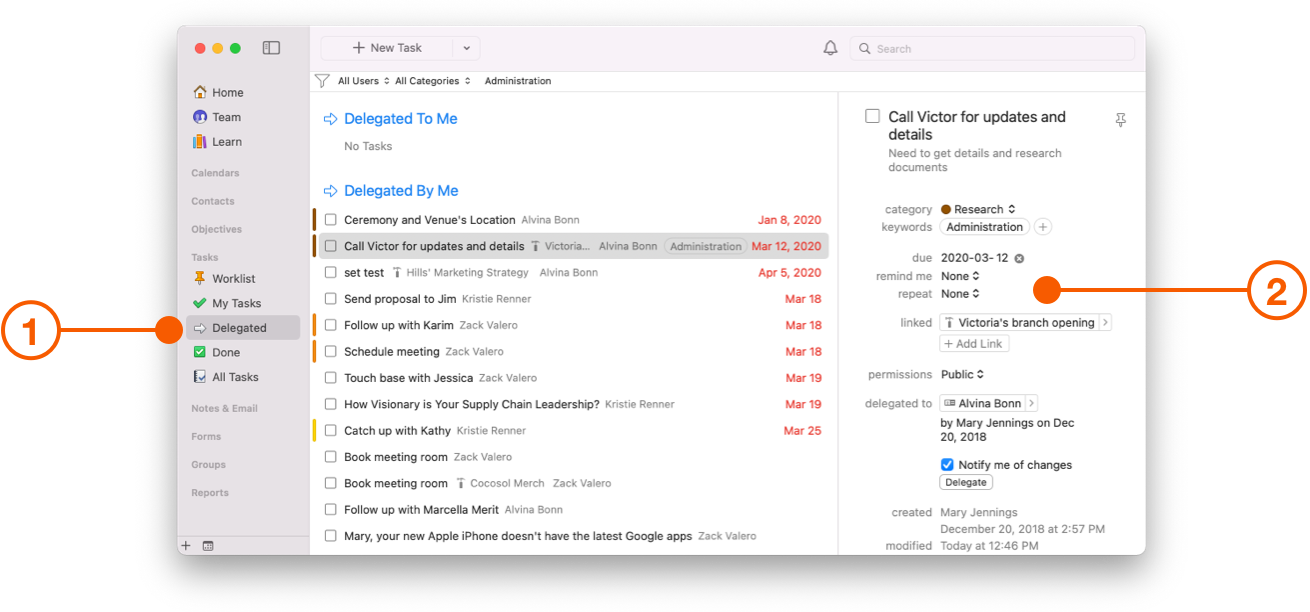
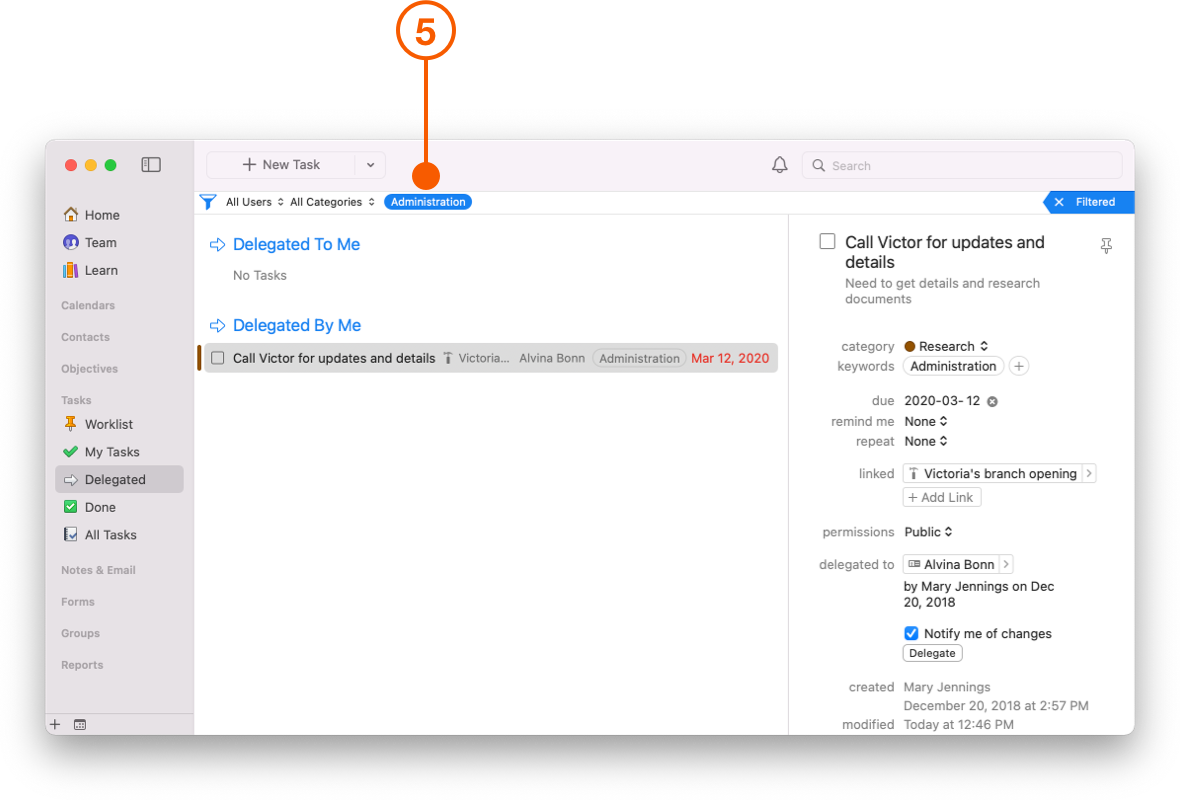
The **Delegated** Task List contains all tasks currently assigned as **Delegated To Me** and **Delegated By Me** respectively. These Tasks can be filtered using the filter bar, by user and category, and marked as Done when the Task is completed.
1. Select the **Delegated** Task List from the left taskbar.
2. Highlight the Task you wish to view. You can see the Task details on the right hand side.
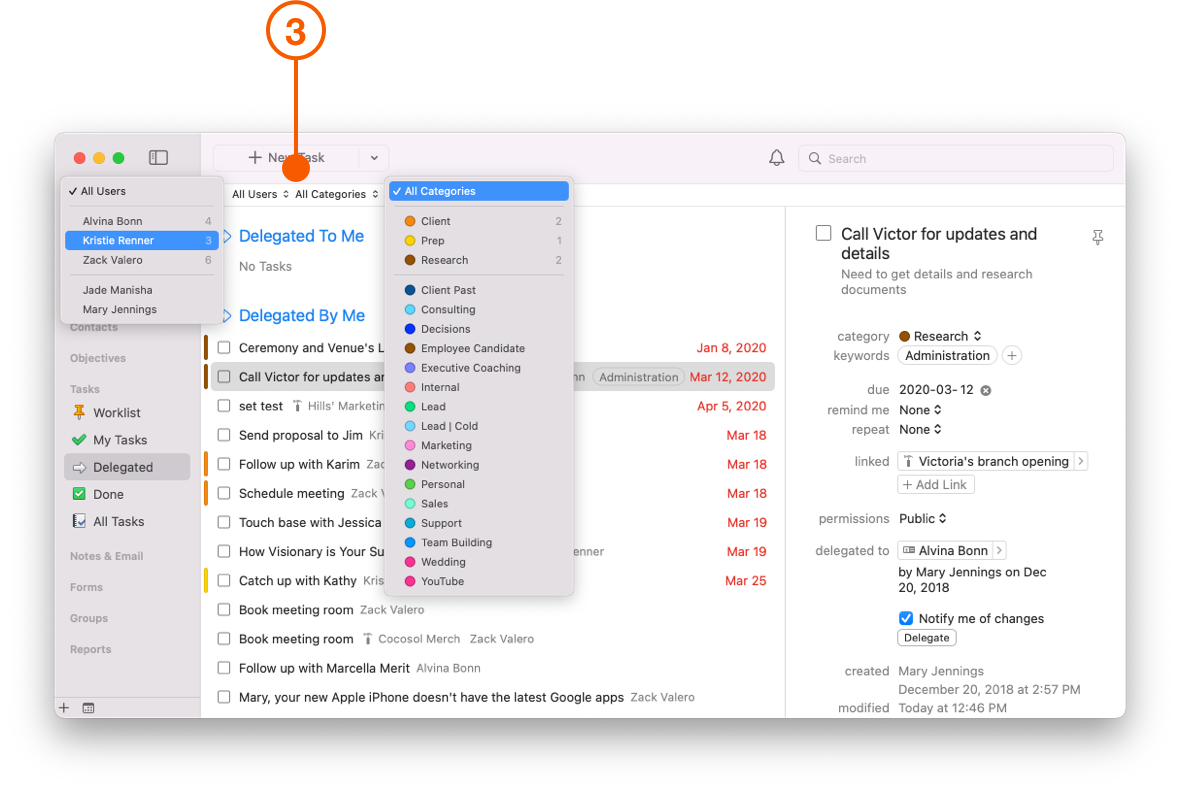
3. You can filter Tasks by user and category using the filter bar.
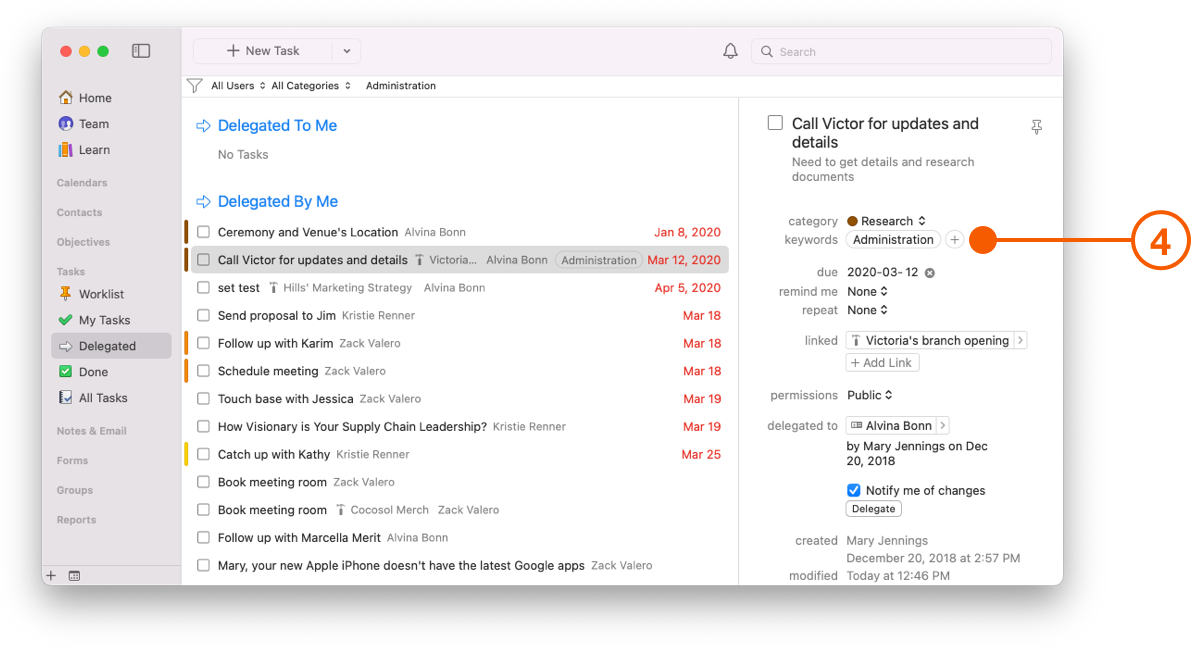
4. You can also create additional filters by adding **Keywords** to your delegated Tasks. This automatically creates a corresponding filter, viewable in the filter bar.
1. Click on the keyword in filter bar to view your Delegated Task.
## Wrap Up
Delegating is undoubtably one of the hardest things you may ever do, especially if you feel invested in the project. Daylite helps you delegate those special projects to your team, and gives you the oversight to maintain control of your business.
---
# Agent Instructions
This documentation is published with GitBook. GitBook is the documentation platform designed so that both humans and AI agents can read, navigate, and reason over technical content effectively. Learn more at gitbook.com.
## Querying This Documentation
If you need additional information that is not directly available in this page, you can query the documentation by asking a question.
Perform an HTTP GET request on the following URL with the `ask` and `goal` query parameters:
```
GET https://docs.daylite.app/help/learn/scale-your-business/delegating-tasks.md?ask=&goal=
```
`ask` is the immediate question: it should be specific, self-contained, and written in natural language.
`goal` is what the user is ultimately trying to achieve, the reason they need the answer. Sharing it helps GitBook give you a better, more relevant answer. A goal is most helpful when it describes the outcome the user wants rather than restating the question. For example, with `ask=how do I create an API token`, a goal like `automate deployments from our CI pipeline` lets GitBook tailor the answer to that use case.
The response will contain a direct answer to the question and relevant excerpts and sources from the documentation.
Use this mechanism when the answer is not explicitly present in the current page, you need clarification or additional context, or you want to retrieve related documentation sections.