> For the complete documentation index, see [llms.txt](https://docs.daylite.app/help/llms.txt). Markdown versions of documentation pages are available by appending `.md` to page URLs; this page is available as [Markdown](https://docs.daylite.app/help/sales-guide/opportunities/probability.md).
# Probability
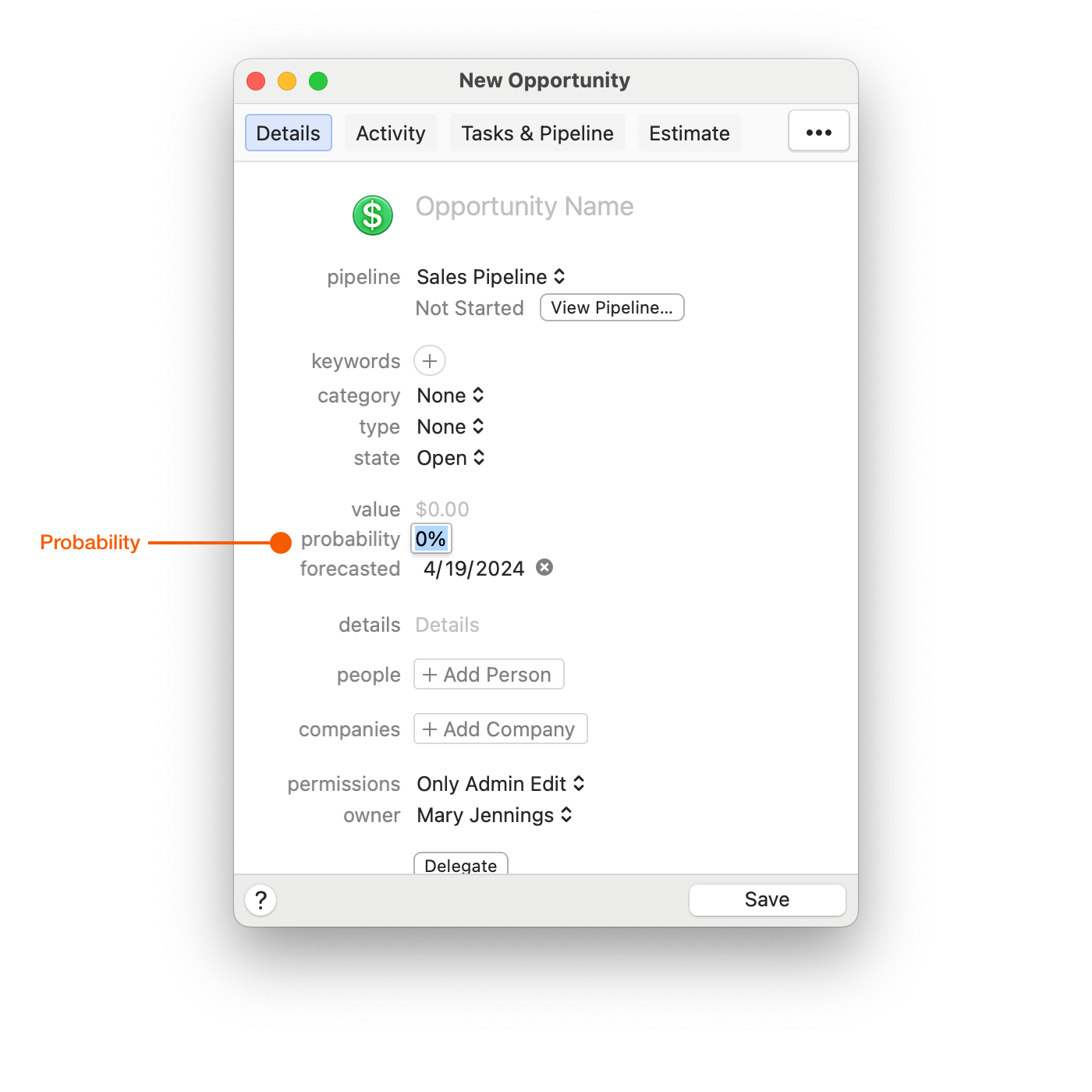
This is a percentage scale from 0% to 100%, and is intended to represent the likelihood that the Opportunity will have a successful outcome. In Daylite, the Probability is considered a **subjective value** that you should update regularly as your Opportunity progresses along the Pipeline. It represents your current level of confidence in a successful outcome, based upon everything that is currently known about your Opportunity.
The Probability in Daylite is **not** tied to the **actual value** of the Opportunity.
Assigning a 75% Probability to a $10,000 deal does not change the total Value of the Opportunity to $7,500.
The Probability value **does not** control the Stage in an Opportunity.
For example, an Opportunity might only be in the initial Stage of the Pipeline but has a probability of 80%. This means that there is a high level of confidence that the Opportunity will have a successful outcome. In this case it might be a repeat transaction or there has been direct communication from the client to indicate that it will happen.
Alternatively, an Opportunity might have progressed quite far along the Pipeline, but still have a relatively low probability, let's say 30%. There may be a tender process with multiple other competitors, and the outcome may be partially out of your control.
---
# Agent Instructions
This documentation is published with GitBook. GitBook is the documentation platform designed so that both humans and AI agents can read, navigate, and reason over technical content effectively. Learn more at gitbook.com.
## Querying This Documentation
If you need additional information that is not directly available in this page, you can query the documentation dynamically by asking a question.
Perform an HTTP GET request on the current page URL with the `ask` query parameter, and the optional `goal` query parameter:
```
GET https://docs.daylite.app/help/sales-guide/opportunities/probability.md?ask=&goal=
```
`ask` is the immediate question: it should be specific, self-contained, and written in natural language.
`goal` is optional and describes the broader end goal you are ultimately trying to accomplish on behalf of the user. GitBook uses it to tailor the answer towards what is most useful for that goal.
The response will contain a direct answer to the question and relevant excerpts and sources from the documentation.
Use this mechanism when the answer is not explicitly present in the current page, you need clarification or additional context, or you want to retrieve related documentation sections.