> For the complete documentation index, see [llms.txt](https://docs.daylite.app/help/llms.txt). Markdown versions of documentation pages are available by appending `.md` to page URLs; this page is available as [Markdown](https://docs.daylite.app/help/mac-fundamentals/german/overview/third-party-integration.md).
# Integration von Drittanbietern
Ihr Unternehmen ist einzigartig, und manchmal braucht es mehr als eine einzige Anwendung, um alles zu tun, was Sie brauchen. Hier kommen die Integrationen ins Spiel.
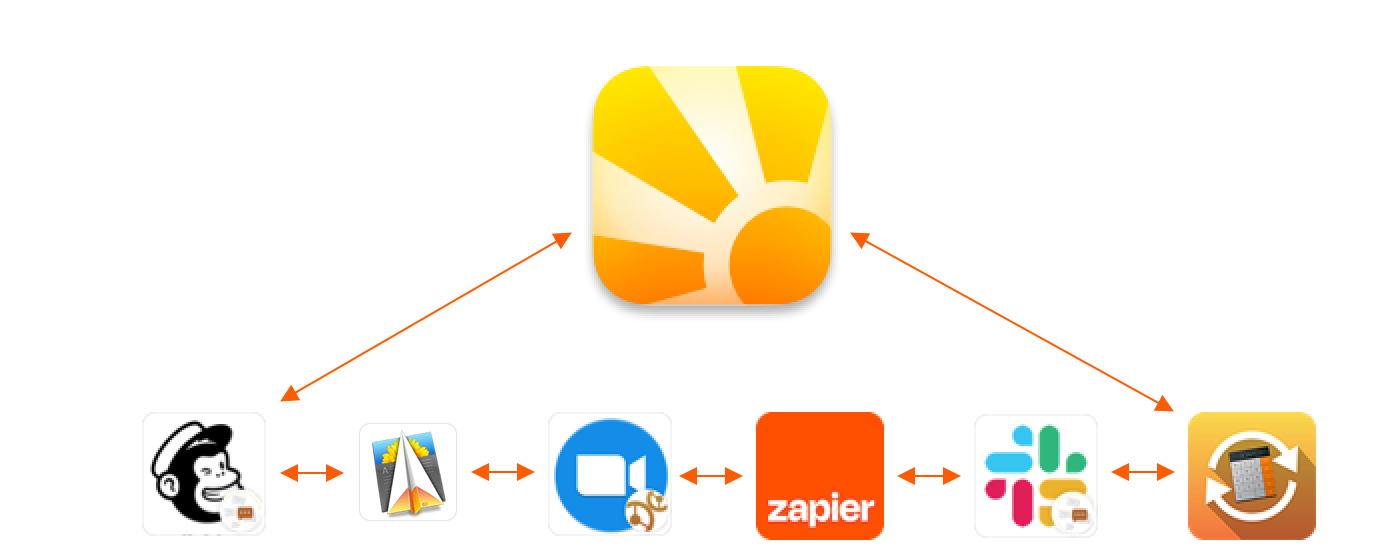
Daylite lässt sich nahtlos in Systeme und Anwendungen wie folgende integrieren:
* **Mailchimp** und **DirectMail** für das E-Mail-Marketing, mit denen Sie E-Mail-Newsletter und Mailings versenden können **Zoom, Zapier** und **Slack** für Zusammenarbeit, Videokonferenzen oder Chats
* **Quickbooks** für Buchhaltung und Buchführung
Es ist dieses Maß an Integrationsmöglichkeiten, welches Daylite von vielen anderen CRM-Programmen auf dem Markt abhebt. Wir fügen ständig neue Anwendungen zu unserer **Add Ons und Integrationen** Seite hinzu. Dies bietet Ihrem Unternehmen eine Reihe von Vorteilen.
**Zentralisierung**: Daylite fungiert als Dreh- und Angelpunkt für die Geschäftsverwaltung Ihres Unternehmens. All diese anderen Anwendungen wirken wie Speichen auf dem Rad, da sie alle mit Daylite verbunden werden können. Durch die nahtlose Integration mit Apps, die Sie bereits verwenden, können Sie sich auf das konzentrieren, was wichtig ist, nämlich das Wachstum Ihres Unternehmens.
**Angebot an Integrationen**: Mit über hundert verschiedenen App-Integrationen können Sie sicher sein, dass es etwas gibt, um die Lücken zu schließen und Ihr Unternehmen zum Erfolg zu führen.
**Zeitersparnis:** Wir haben die Zeit investiert, um Beziehungen zu einer Vielzahl von Drittentwicklern aufzubauen, so dass Daylite in die Programme integriert werden kann, die Sie täglich verwenden.
Daylite’s [**Integrations and Add Ons**](https://www.marketcircle.com/add-ons/) is the only page you need, to find all the programs Daylite works with.
---
# Agent Instructions
This documentation is published with GitBook. GitBook is the documentation platform designed so that both humans and AI agents can read, navigate, and reason over technical content effectively. Learn more at gitbook.com.
## Querying This Documentation
If you need additional information that is not directly available in this page, you can query the documentation by asking a question.
Perform an HTTP GET request on the following URL with the `ask` and `goal` query parameters:
```
GET https://docs.daylite.app/help/mac-fundamentals/german/overview/third-party-integration.md?ask=&goal=
```
`ask` is the immediate question: it should be specific, self-contained, and written in natural language.
`goal` is what the user is ultimately trying to achieve, the reason they need the answer. Sharing it helps GitBook give you a better, more relevant answer. A goal is most helpful when it describes the outcome the user wants rather than restating the question. For example, with `ask=how do I create an API token`, a goal like `automate deployments from our CI pipeline` lets GitBook tailor the answer to that use case.
The response will contain a direct answer to the question and relevant excerpts and sources from the documentation.
Use this mechanism when the answer is not explicitly present in the current page, you need clarification or additional context, or you want to retrieve related documentation sections.