> For the complete documentation index, see [llms.txt](https://docs.daylite.app/help/llms.txt). Markdown versions of documentation pages are available by appending `.md` to page URLs; this page is available as [Markdown](https://docs.daylite.app/help/learn/close-more-deals/track-leads-source.md).
# Tracking Your Lead Source
Where is most of your business coming from? What source gives you the best leads or has the highest conversion rate? If you’re not tracking your lead source, you won’t know what to ramp up, what to focus less on, and where there’s opportunity ripe for the picking.
With Daylite you can track where your deals are coming from, use tools to analyze which sources are working and which ones aren't so you can make better decisions, and spend more time focusing on higher generating sources.
## Add a deal's source to an Opportunity
In Daylite, you track your deals by creating Opportunities. If you haven't created an Opportunity, check out [How to Capture New Business](/help/learn/close-more-deals/capture-new-business.md) first.
Your deal source is where the lead heard about you. Here are a few examples:
* Referral
* Trade Show
* Social Media
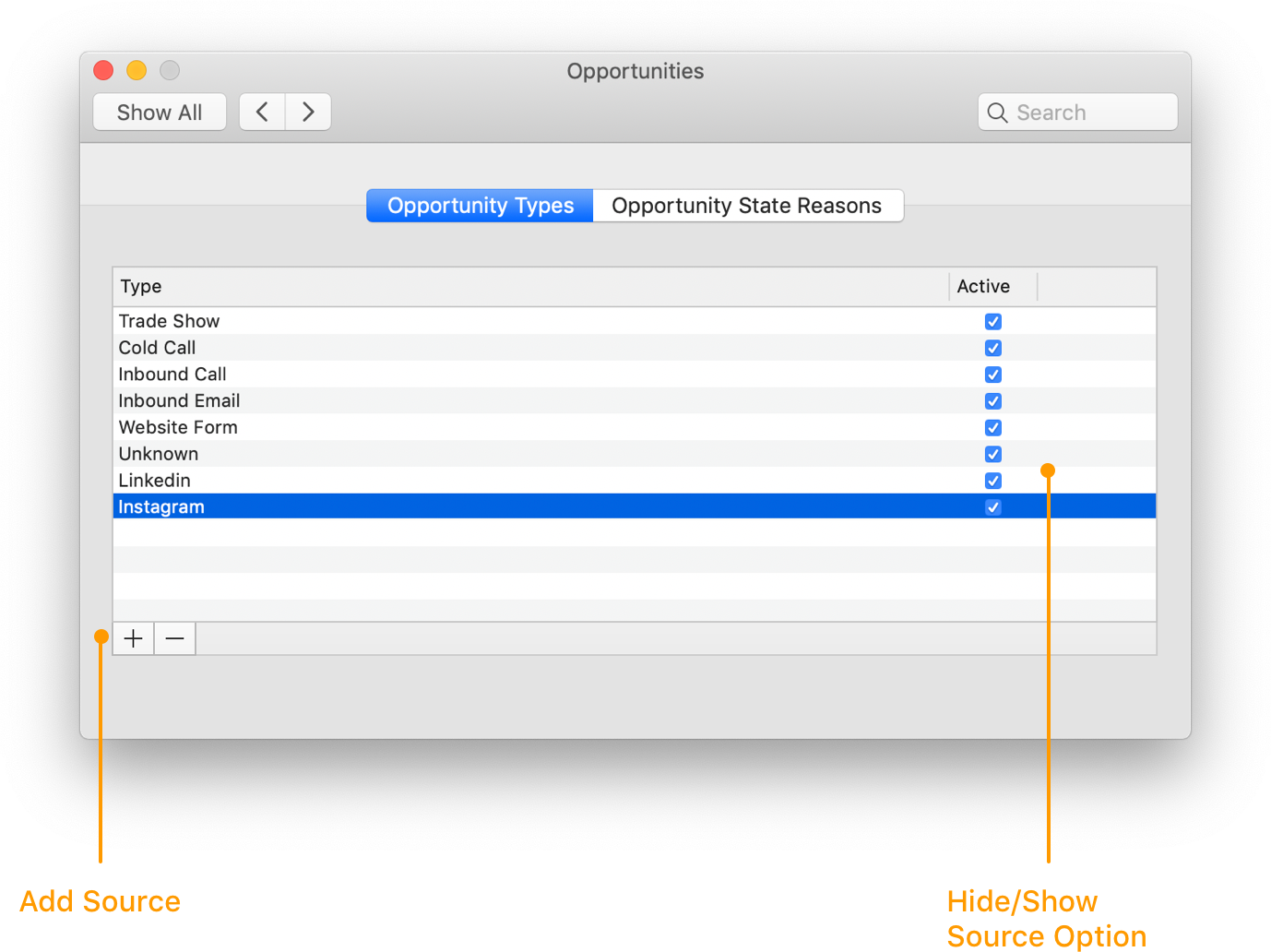
Before you are able to track your sources, you need to create those options in Daylite.
1. From the menu bar click **Daylite** > **Preferences**
2. Choose **Opportunities**
3. Click **+** and type the name of the source
When you have a new potential deal, create a new Opportunity in Daylite and click **Type**, and then select the source.
## Analyzing your sources
Now that you're tracking your deals by source, you can use Daylite Reports to show you which sources are helping you acquire the most amount of new business.
For more ways to use Insights to measure your deals, read [How to Use a Data-Driven Sales Approach](/help/learn/close-more-deals/data-driven-sales.md)
1. Select Reports
2. Select **Opportunity Analysis**
3. Choose your date range
4. Click **Run**
### Reading the Opportunity Analysis Report
**Which sources are generating the most and least leads**
You can't close deals in a market that doesn't exist. That's why knowing where the most leads are coming from is a powerful tool in determining whether or not a source is worth continuing with.
**Which sources are generating the most and least revenue**
How do you know if your marketing dollars are working? You need to be able to track the revenue you earn on Won Deals and clearly see which ones are generating you the most and least amount of revenue, and whether you're getting an ROI on your marketing.
## Wrap up
By tracking the source of leads for your business and reporting on trends, you can identify which sources are generating the most new business. These insights will help you make better decisions for your business.
---
# Agent Instructions
This documentation is published with GitBook. GitBook is the documentation platform designed so that both humans and AI agents can read, navigate, and reason over technical content effectively. Learn more at gitbook.com.
## Querying This Documentation
If you need additional information that is not directly available in this page, you can query the documentation dynamically by asking a question.
Perform an HTTP GET request on the current page URL with the `ask` query parameter, and the optional `goal` query parameter:
```
GET https://docs.daylite.app/help/learn/close-more-deals/track-leads-source.md?ask=&goal=
```
`ask` is the immediate question: it should be specific, self-contained, and written in natural language.
`goal` is optional and describes the broader end goal you are ultimately trying to accomplish on behalf of the user. GitBook uses it to tailor the answer towards what is most useful for that goal.
The response will contain a direct answer to the question and relevant excerpts and sources from the documentation.
Use this mechanism when the answer is not explicitly present in the current page, you need clarification or additional context, or you want to retrieve related documentation sections.