> For the complete documentation index, see [llms.txt](https://docs.daylite.app/help/llms.txt). Markdown versions of documentation pages are available by appending `.md` to page URLs; this page is available as [Markdown](https://docs.daylite.app/help/learn-ipad/scale-your-business/who-can-see-and-edit.md).
# Controlling Who Can See and Edit Information
As you begin to use Daylite to its fullest extent you will notice your team beginning to work more efficiently. However, it may not make sense for everyone to have full access to your database. Employees for example do not need to see confidential HR records.
Daylite lets you control who can see or edit information.
## What Are Permissions
Every business has sensitive information. That's why you can apply permissions to individual items in Daylite.
There are two types of permissions:
**View:** Only those with View Permissions on an item can see an item they don't own. Denying view permissions is useful when items should only be seen by managers like employee reviews, or meeting minutes between the executive team.
**Edit:** Only those with Edit Permissions on an item can edit an item they don't own. Denying edit permissions is useful when you have a Project that only a project manager should edit, or if you are documenting important decisions that you wouldn't want changed.
## Changing Viewing and Editing Permissions
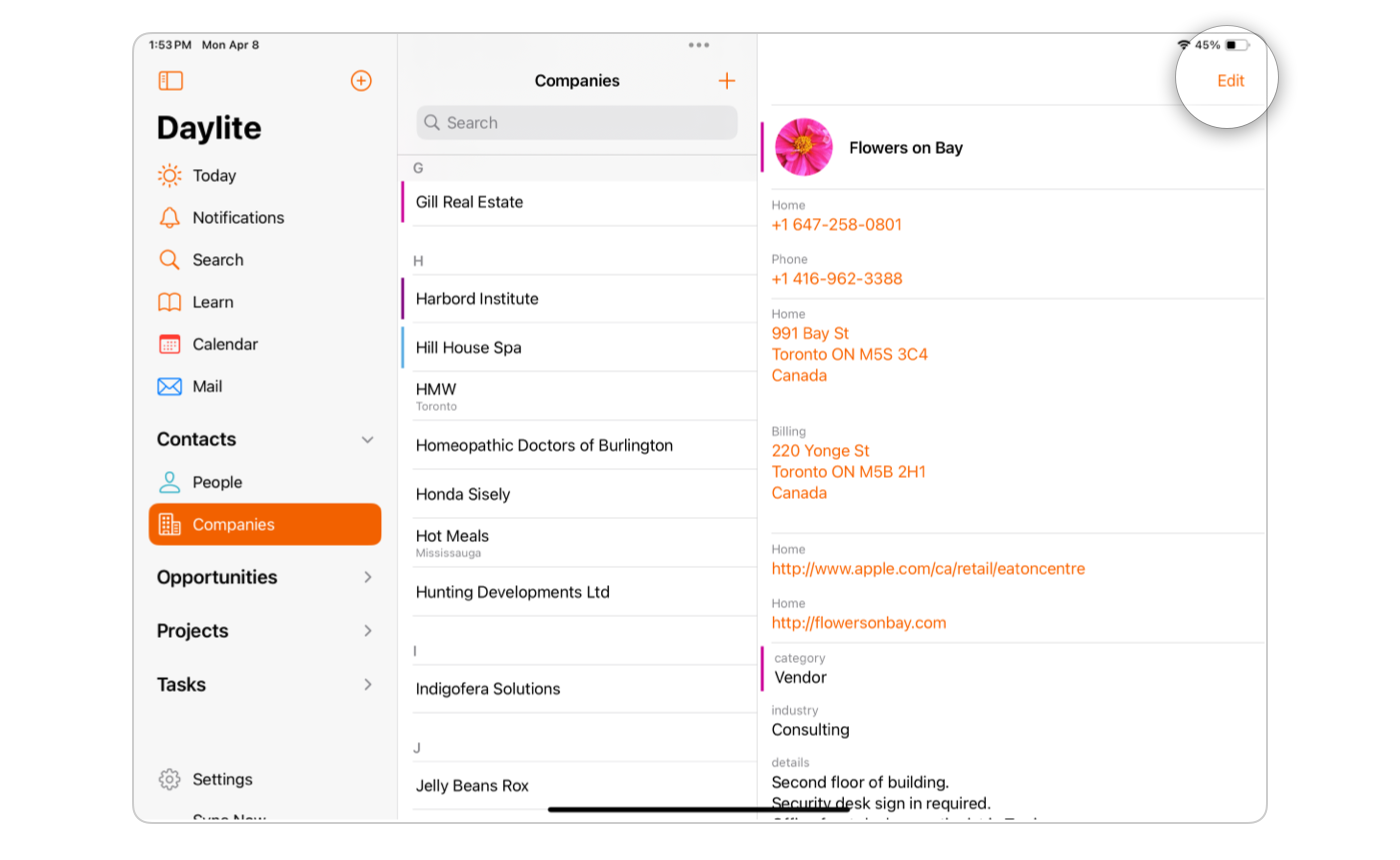
* Select an item in Daylite and click **Edit**.
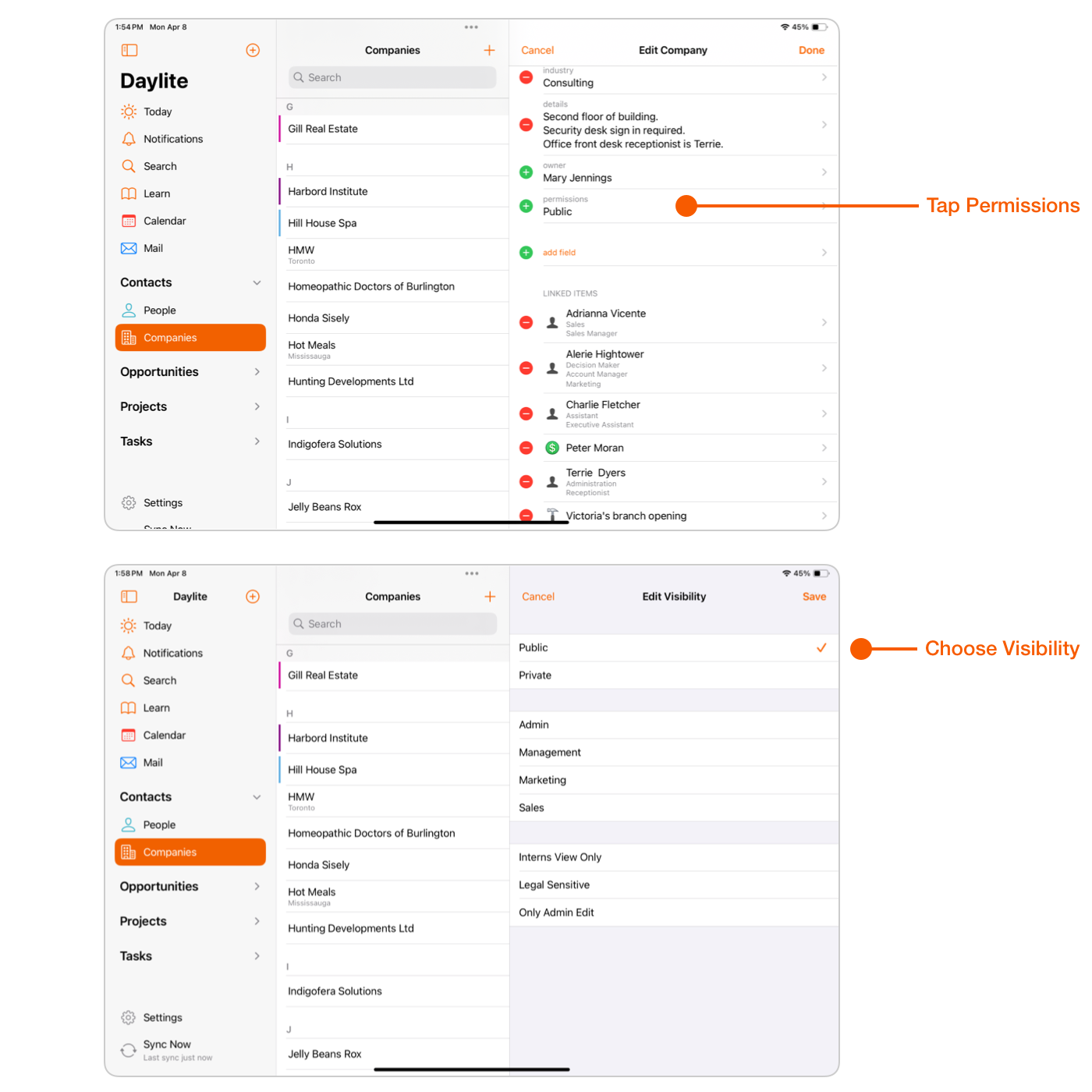
* Tap **Permissions** and choose **Public, Private**, or an appropriate permission, then tap **Save.**
When editing Permissions, you will see the view and edit permissions for each person on your team as well as two presets: **Public** and **Private**. These permissions let you quickly allow or deny, view, read, and edit permissions for everyone.
**Public:** Anyone can view and edit this item.
**Private:** Only the owner can view and edit this item.
## Wrap Up
Give your team one place to store all their information, while making sure that the information is still sharable with the right people and teams.
---
# Agent Instructions
This documentation is published with GitBook. GitBook is the documentation platform designed so that both humans and AI agents can read, navigate, and reason over technical content effectively. Learn more at gitbook.com.
## Querying This Documentation
If you need additional information that is not directly available in this page, you can query the documentation by asking a question.
Perform an HTTP GET request on the following URL with the `ask` and `goal` query parameters:
```
GET https://docs.daylite.app/help/learn-ipad/scale-your-business/who-can-see-and-edit.md?ask=&goal=
```
`ask` is the immediate question: it should be specific, self-contained, and written in natural language.
`goal` is what the user is ultimately trying to achieve, the reason they need the answer. Sharing it helps GitBook give you a better, more relevant answer. A goal is most helpful when it describes the outcome the user wants rather than restating the question. For example, with `ask=how do I create an API token`, a goal like `automate deployments from our CI pipeline` lets GitBook tailor the answer to that use case.
The response will contain a direct answer to the question and relevant excerpts and sources from the documentation.
Use this mechanism when the answer is not explicitly present in the current page, you need clarification or additional context, or you want to retrieve related documentation sections.