> For the complete documentation index, see [llms.txt](https://docs.daylite.app/help/llms.txt). Markdown versions of documentation pages are available by appending `.md` to page URLs; this page is available as [Markdown](https://docs.daylite.app/help/learn-ipad/close-more-deals/tracking-deals-by-size.md).
# Tracking Deals by Size
In an ideal world, you always want to give each of your deals the same amount of attention. Each one of your clients should feel special, no matter how large or small the deal. However, it is important to prioritize your deals so you can focus your attention on the largest ones first.
Tracking deals by their size and likelihood to close is a powerful way to increase income and grow your business because it helps stay on top of those big deals. With Daylite, staying focused on the deals that have the biggest impact on your business is easy.
Any time a lead or client expresses interest in a product or service, you want to create an **Opportunity** and then add a corresponding v**alue** and **probability of closing**. If you are not familiar with creating Opportunities, start by reading the Learn article [How to Capture New Business.](/help/learn-ipad/close-more-deals/capture-new-business.md)
## Capturing the Value and Probability of a Deal
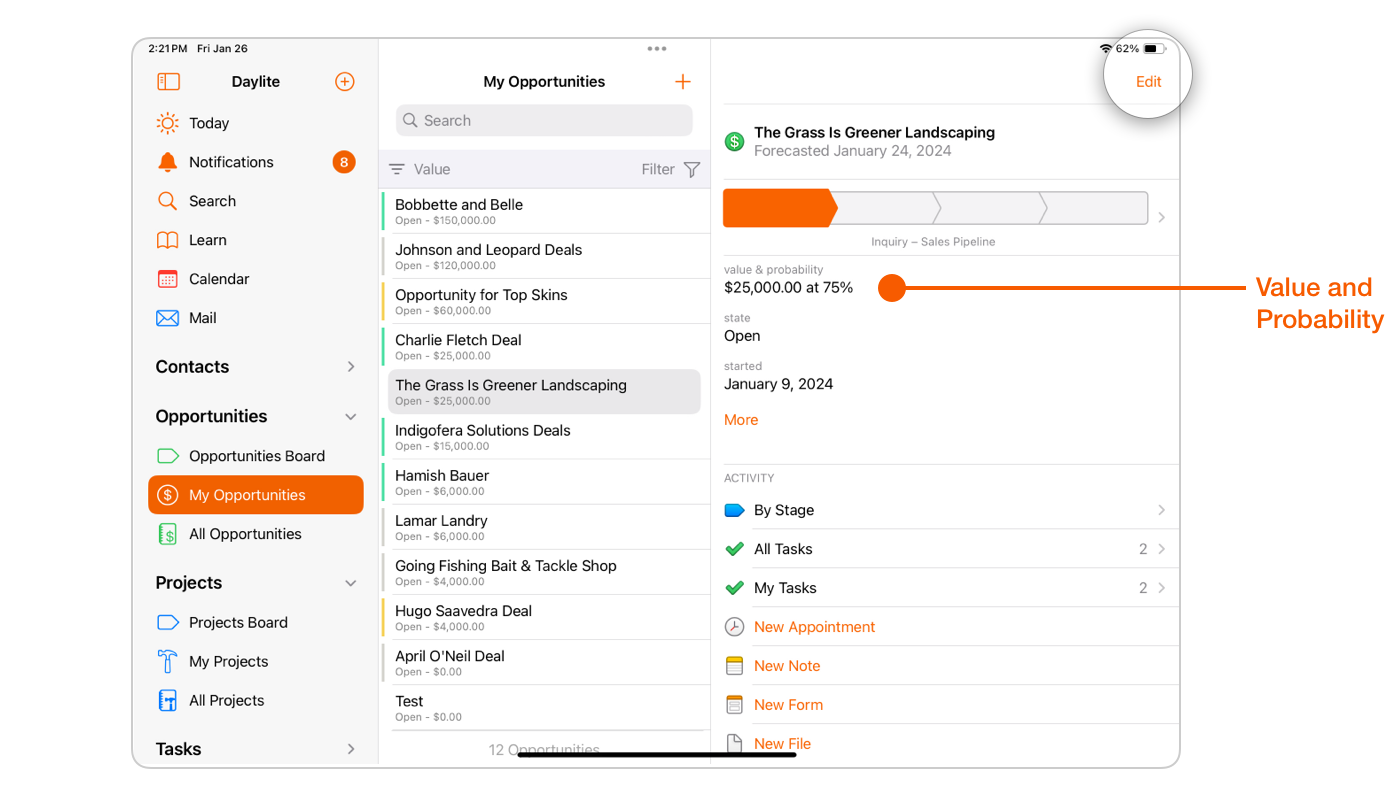
Daylite lets you assign a **value** and **probability** to an Opportunity record, which can be incredibly beneficial when it comes time to focus on which client may offer the greatest return on your invested time.
Select an existing Opportunity card, or select the **+ New Object button** to create a New Opportunity record.
If you are creating a new Opportunity, select the **value of the deal** and the **probability of it closing.**
If you already have an existing Opportunity that you would like to enter or edit a **value** and **probability** for, select the Opportunity and tap **Edit** to add a value.
## Sorting Your Opportunities By Value
Who is going to make you the most money?
The ability to sort your Opportunities by **Value** means you can see at a glance which Prospects or Clients you should be focusing on.
Select either **My Opportunities** or **All Opportunities** and then tap the **Sort** filter.
Choose **Value**, and Daylite will sort your Opportunities from highest to lowest.
## Wrap Up
When you can track your deals by size, it becomes easier to prioritize which deals you should be working on next. Enter a **Value** or a **Probability**, and you can tell at a glance which deals need your attention.
Click here to learn how to [Track Your Close Rate on Deals](/help/learn-ipad/close-more-deals/tracking-your-close-rate-on-deals.md), and take your business to the next level.
---
# Agent Instructions
This documentation is published with GitBook. GitBook is the documentation platform designed so that both humans and AI agents can read, navigate, and reason over technical content effectively. Learn more at gitbook.com.
## Querying This Documentation
If you need additional information that is not directly available in this page, you can query the documentation dynamically by asking a question.
Perform an HTTP GET request on the current page URL with the `ask` query parameter, and the optional `goal` query parameter:
```
GET https://docs.daylite.app/help/learn-ipad/close-more-deals/tracking-deals-by-size.md?ask=&goal=
```
`ask` is the immediate question: it should be specific, self-contained, and written in natural language.
`goal` is optional and describes the broader end goal you are ultimately trying to accomplish on behalf of the user. GitBook uses it to tailor the answer towards what is most useful for that goal.
The response will contain a direct answer to the question and relevant excerpts and sources from the documentation.
Use this mechanism when the answer is not explicitly present in the current page, you need clarification or additional context, or you want to retrieve related documentation sections.